Usage
Setup as plugin in Major DAWs
Once ORchestra is built or installed as a plugin, adding it to a project and routing MIDI differs slightly from DAW to DAW. The notes below cover the most common hosts to get you sequencing quickly. Unfortunately VST3 doesn't really support midi effects so for some VST DAWs there's some workarounds neeeded in order to route MIDI to the desired tracks. The DAWs below are the ones I have managed to test for myself. If you experience issues please submit an issue on Github and I'll help resolving it. Following the steps of the other DAWs might give you ideas on how to solve the issue.
Ableton Live
Reaper
Logic Pro X
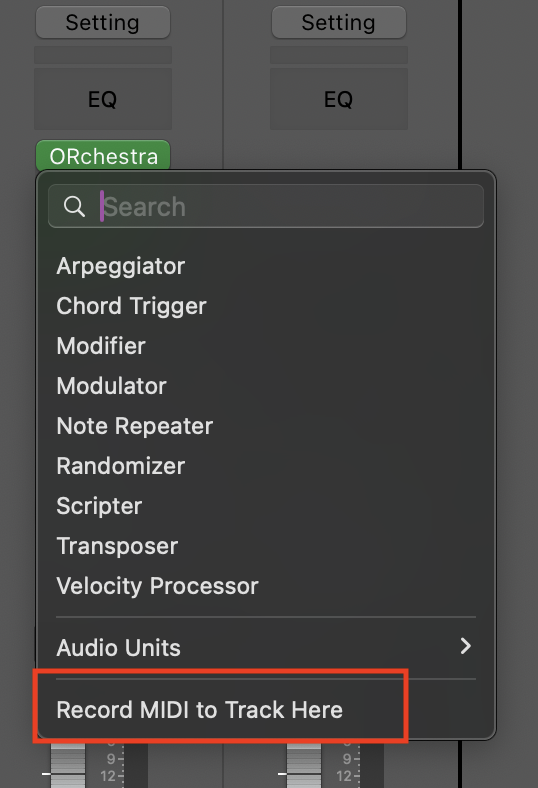
Logic Pro and Audio Units (AU) supports midi plugins. Simply put ORchestra as a midi plugin at the top of a instrument track.
Make sure to enable the midi recording after ORchestra, by left-clicking under ORchestra in the midi effect plugin list and set "Record MIDI to Track Here"